Case study · Lead automation · AI Automation
AI Client Acquisition SystemLead automation Case Study
Six n8n workflows that answer every enquiry in under a minute: they take leads from any form, score them with Gemini, log them in HubSpot or Google Sheets, reply by email and WhatsApp with a booking link, brief me before the call, follow up, and stop the moment a lead replies. It runs on free tiers for $0 a month.
- Type
- The studio's own lead pipeline
- Role
- Workflows, prompts, integrations, site form
- Status
- Live behind this site's contact form
- Service
- AI Automation
- Last updated
The problem
Small service businesses lose leads between “form submitted” and “someone replies”. The enquiry sits in an inbox for hours, nobody records it, the owner can't tell a serious buyer from a spammer, leads arrive from three different form tools in three different shapes, and if the lead doesn't book straight away nobody follows up.
What I built
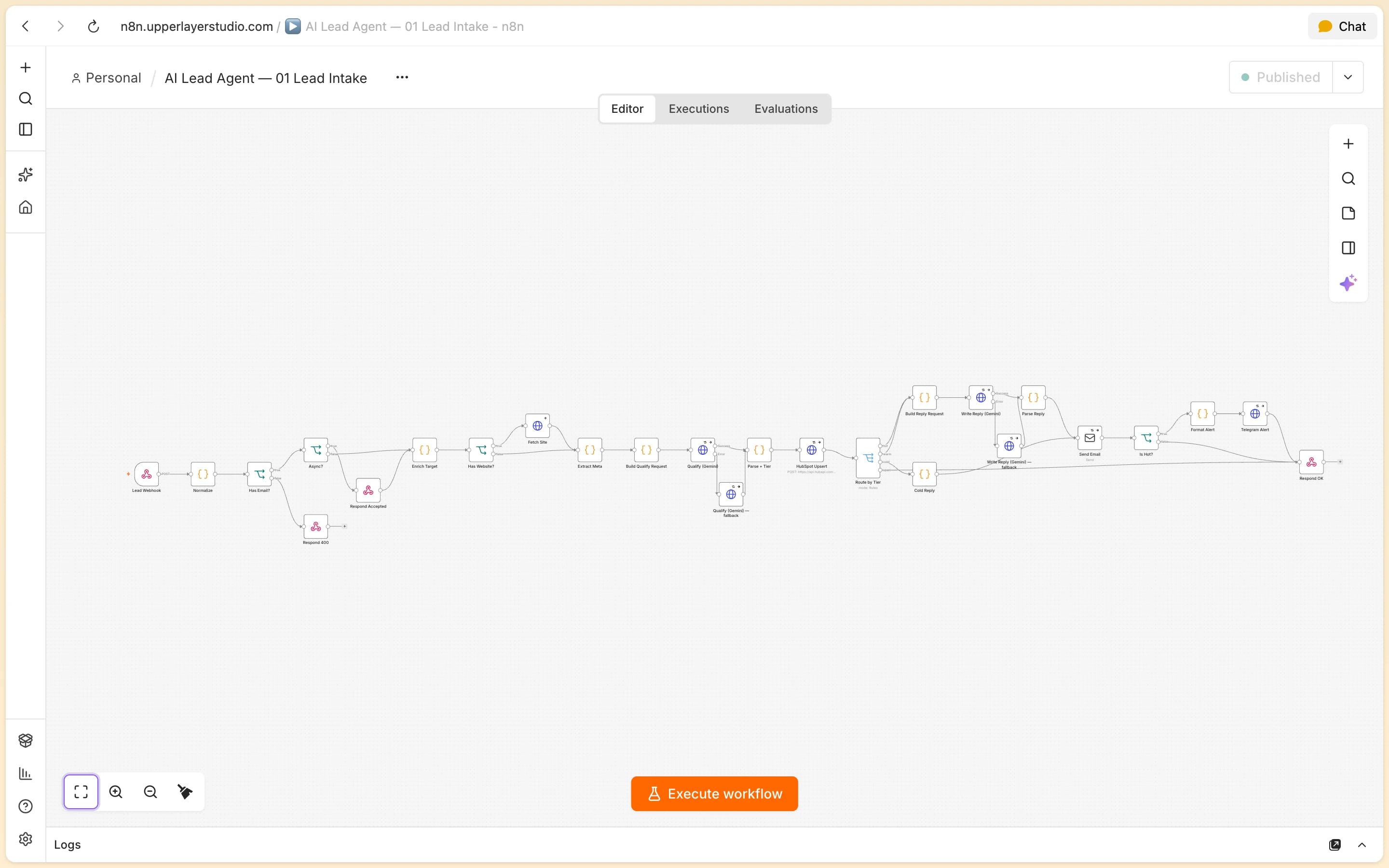
The AI Client Acquisition System is six n8n workflows behind the “Prefer to write first?” form on this site. A normaliser takes submissions from the site, Typeform, Tally, Google Forms and Apollo or Clay lists and turns them into one lead shape. Lead Intake checks whether the contact is new, scores the enquiry with Gemini, writes it to the CRM, replies by email and WhatsApp with a booking link and alerts me on Telegram and WhatsApp when a lead is hot. A CRM adapter sends every record to HubSpot or to Google Sheets, whichever the business uses. Booking catches the Cal.com webhook, moves the contact to “Call Booked” and sends me a pre-call brief. Follow-up nudges open leads twice before moving them to Nurture, and Reply Detection reads replies on email and WhatsApp, stops the follow-ups and tells me to step in. Everything runs on free tiers. The leads in these screens are my own test enquiries; “Priya Mehta” and BrightSmile Dental are a sample lead, not a client.
What it does
The features that matter
What it actually does, one feature at a time.
A reply in seconds, on email and WhatsApp
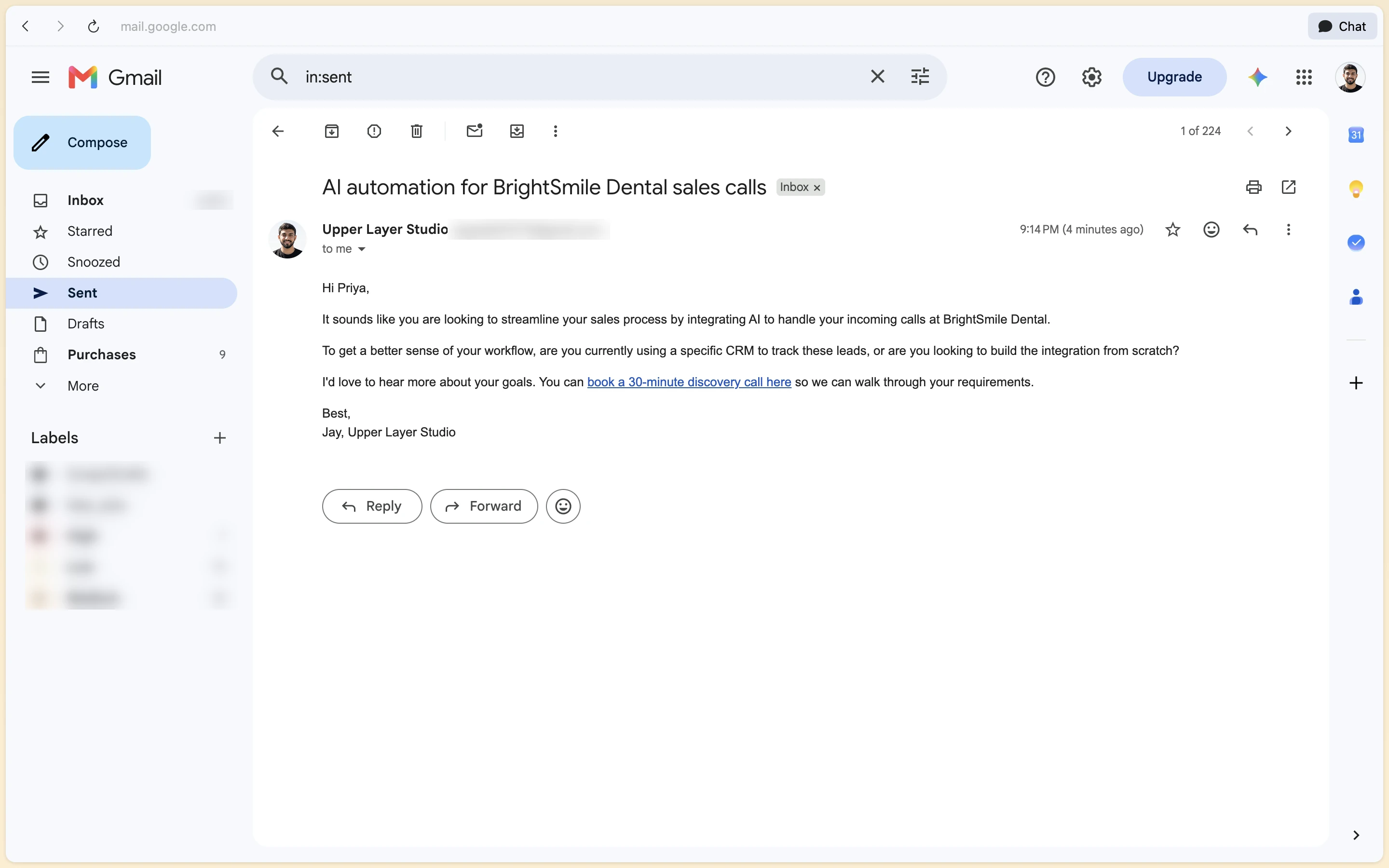
Hot and warm leads get a message written for them: it restates their problem in plain words, asks one concrete question and links to the booking page, by email and, when they leave a number, on WhatsApp. The visitor sees “Thanks” in about half a second while the rest runs in the background.
Scored by the model, tiered by code
Gemini returns a score, intent, budget, urgency and a summary as strict JSON. A code node applies the rule itself: 70 and up is hot, 40 to 69 warm, under 40 cold, and spam is always cold and never answered. It tiered 20 of 20 labelled test leads correctly, spam included.
Any form in, any CRM out
One normaliser maps Typeform, Tally, Google Forms and Apollo or Clay rows onto the same lead, with phone numbers cleaned to E.164. A CRM adapter writes it to HubSpot, with eight custom fields, or to Google Sheets with a CSV export, so a business without HubSpot loses nothing.
A brief before every call
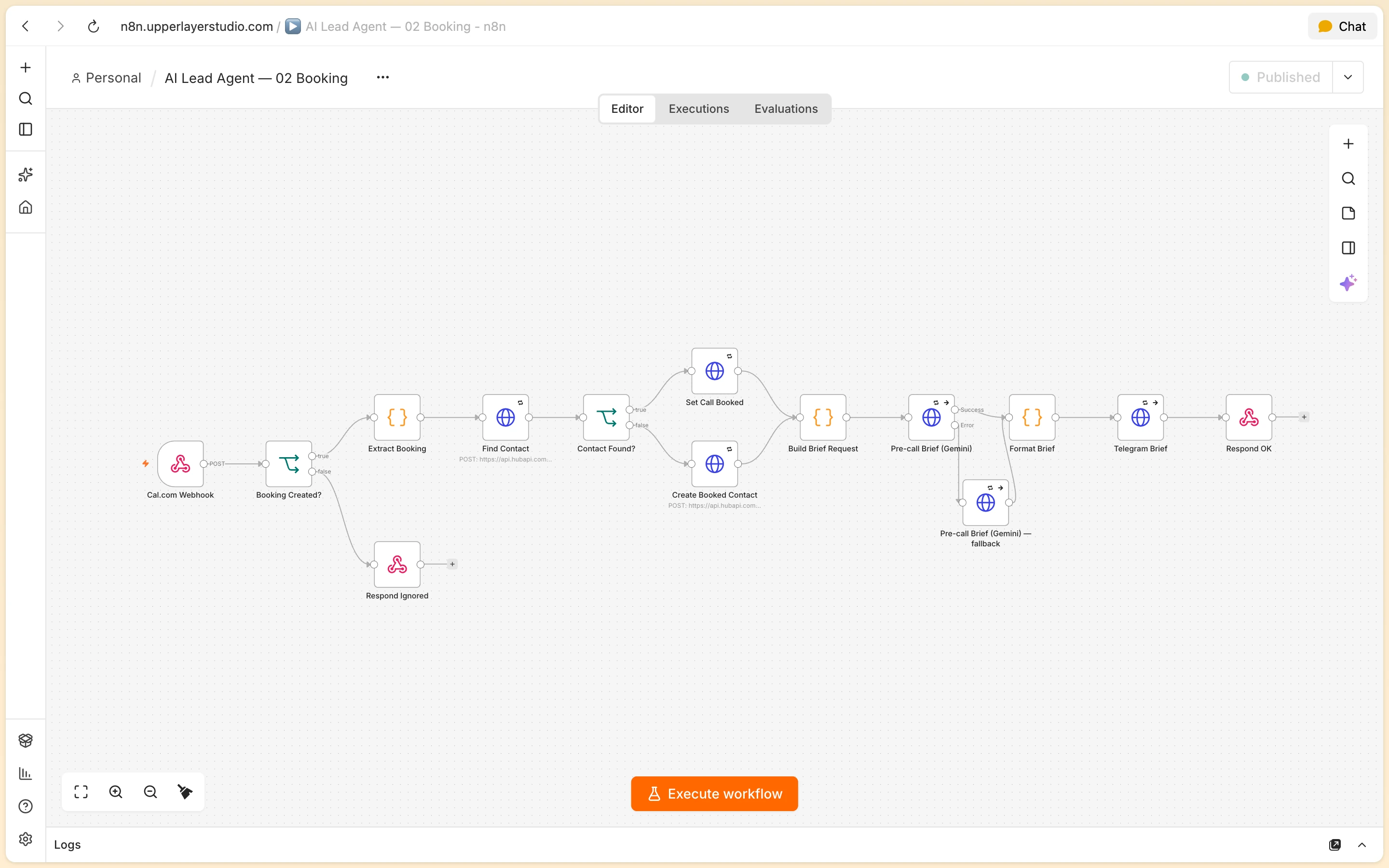
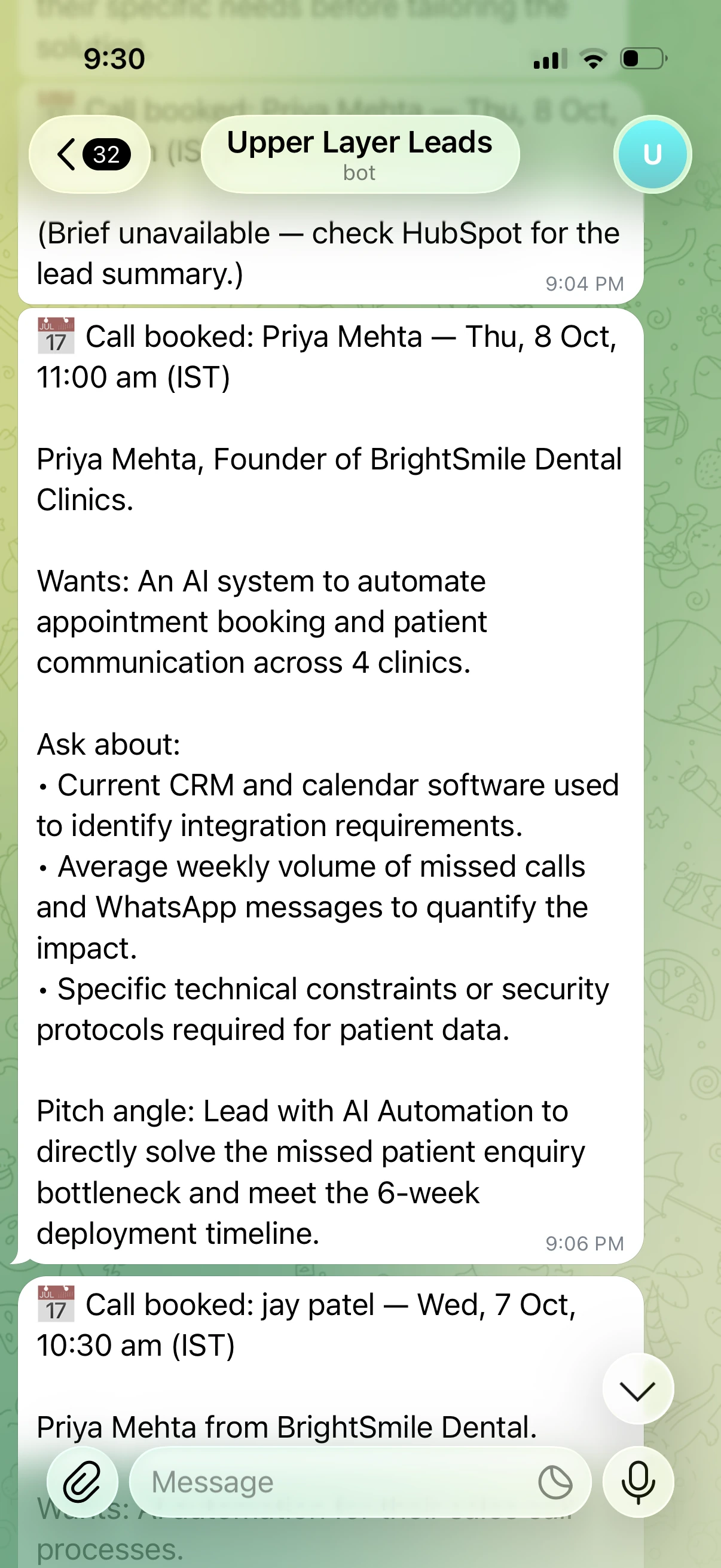
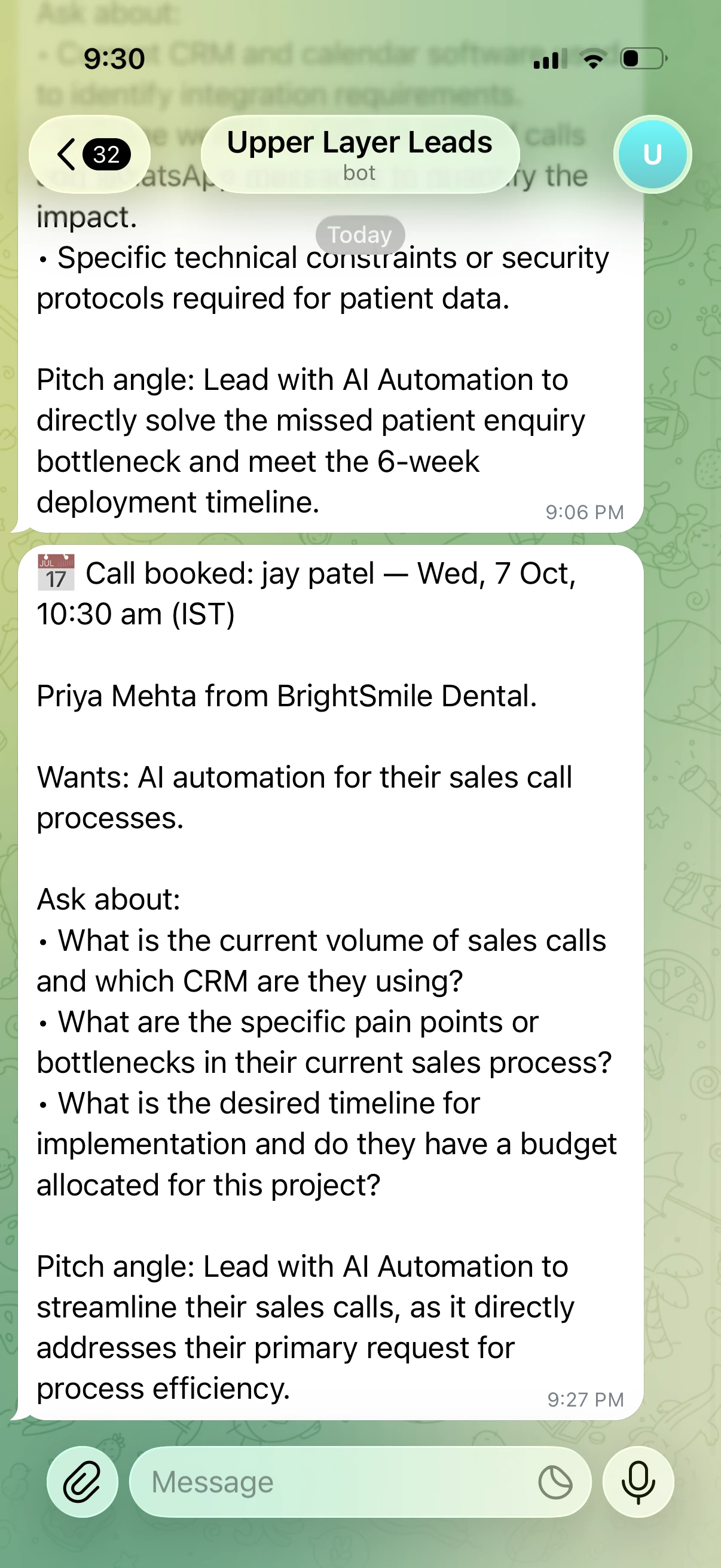
When a lead books on Cal.com, Gemini writes a pre-call brief from the stored summary, with what they want, what to ask and the angle to lead with, and sends it to my Telegram and WhatsApp.
Follow-up that knows when to stop
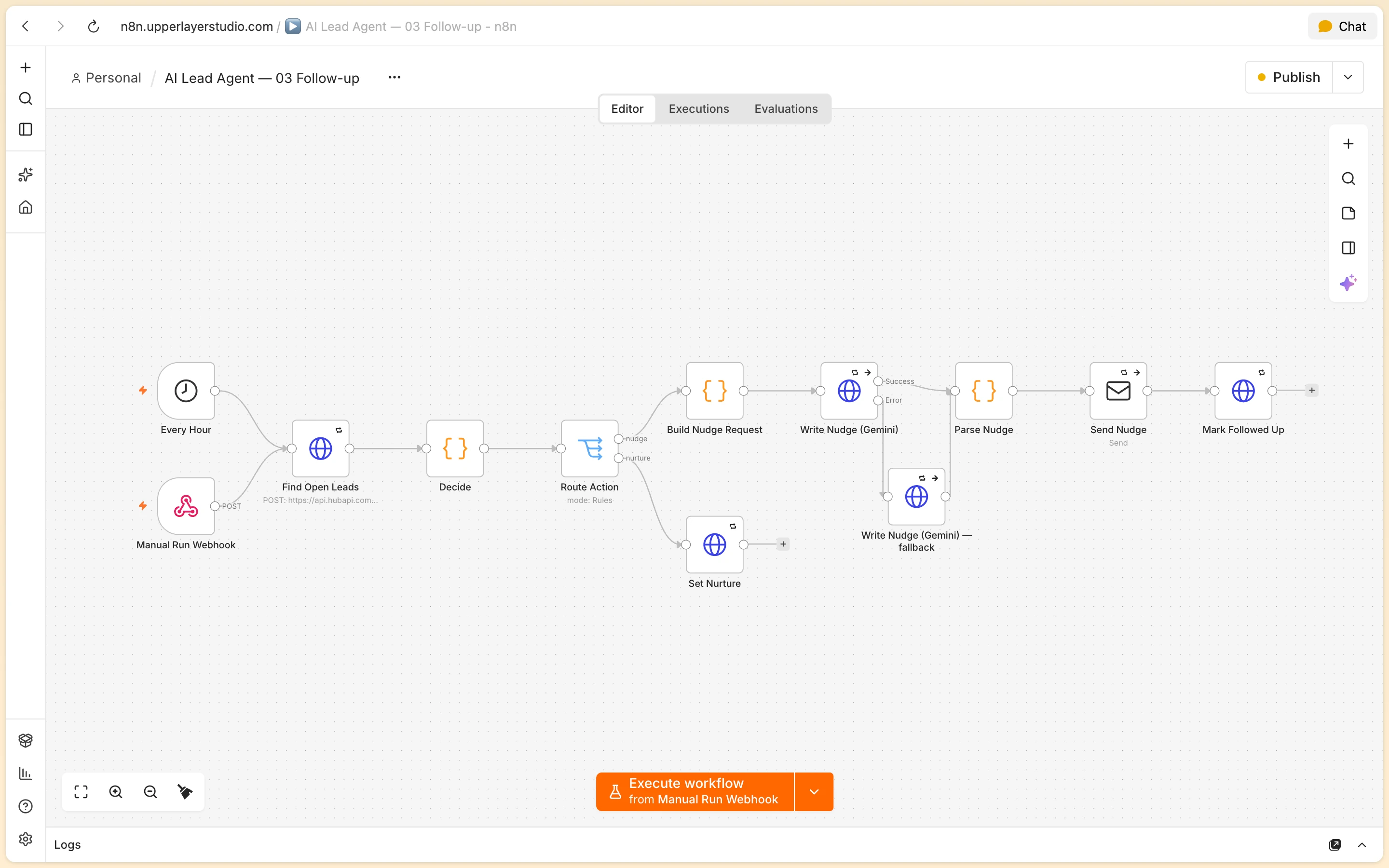
Open leads get a nudge after 24 hours and a second, with a link to my work, 48 hours later. A reply on email or WhatsApp is classified by Gemini, stops the sequence at once and alerts me; silent leads move to Nurture, and a lead who books gets nothing more.
Honest by rule
Every writing prompt carries a rule never to invent clients, results or numbers. An early nudge claimed work for “a similar design firm” that doesn't exist; the rule fixed it in 4 of 4 re-samples.
Under the hood
How it works
The part nobody sees, step by step.
Normalise and enrich
Each source maps to one lead shape, and a missing or invalid email is turned away with a 400. A returning contact gets a note on their record instead of a second welcome. If the lead has a company website, its title and description are fetched as context, with a 5-second timeout.
Qualify
Gemini scores the lead and code sets the tier. Every Gemini call has a fallback model on its error output, since free-tier 429s and 503s are common, and a reply that can't be parsed defaults the lead to warm so it is never dropped.
Log and reply
The CRM adapter upserts the contact into HubSpot or Google Sheets, the reply goes out over Gmail and WhatsApp, and a hot lead triggers alerts on Telegram and WhatsApp. Alerts, enrichment and messaging fail soft, so a broken side channel never blocks the reply or the CRM write.
Book, follow up, hand over
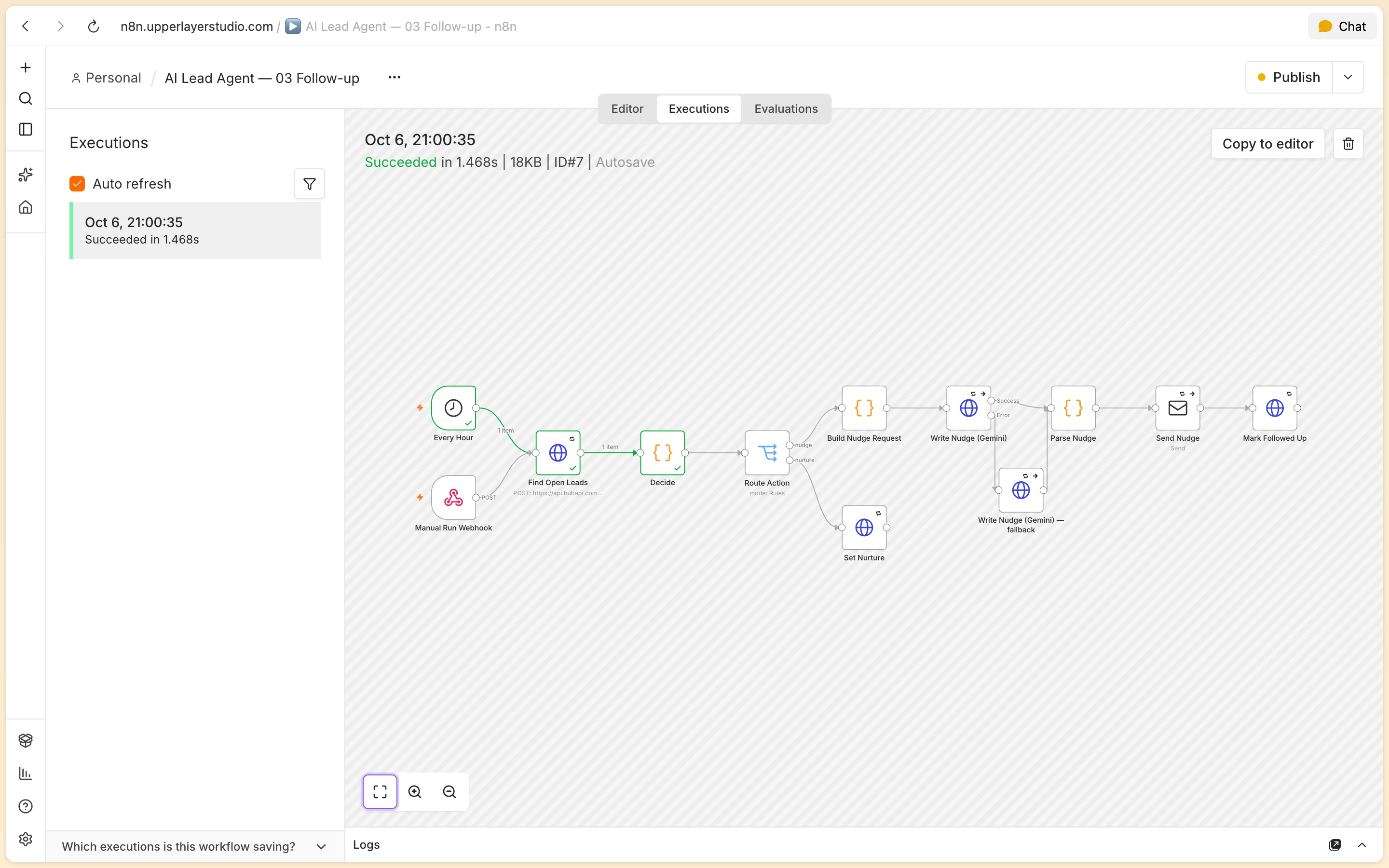
The Cal.com webhook flips the contact to Call Booked and sends the brief. An hourly run nudges open leads, timed from the last message rather than from sign-up. When a lead replies, the follow-ups stop and the conversation is handed to me.
Screens
Every screen, as shipped
Captured from the live product at upperlayerstudio.com/contact.
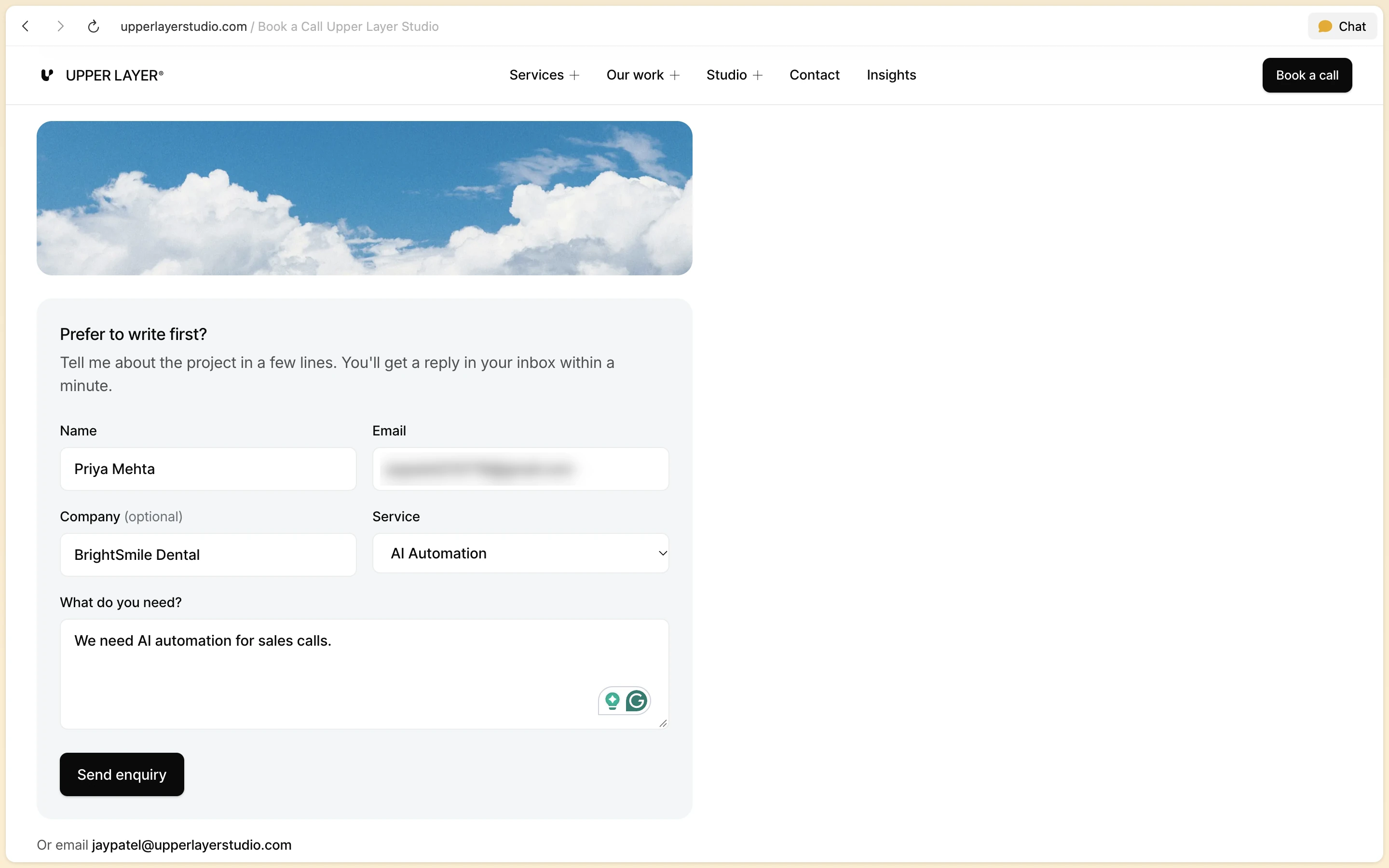
The enquiry
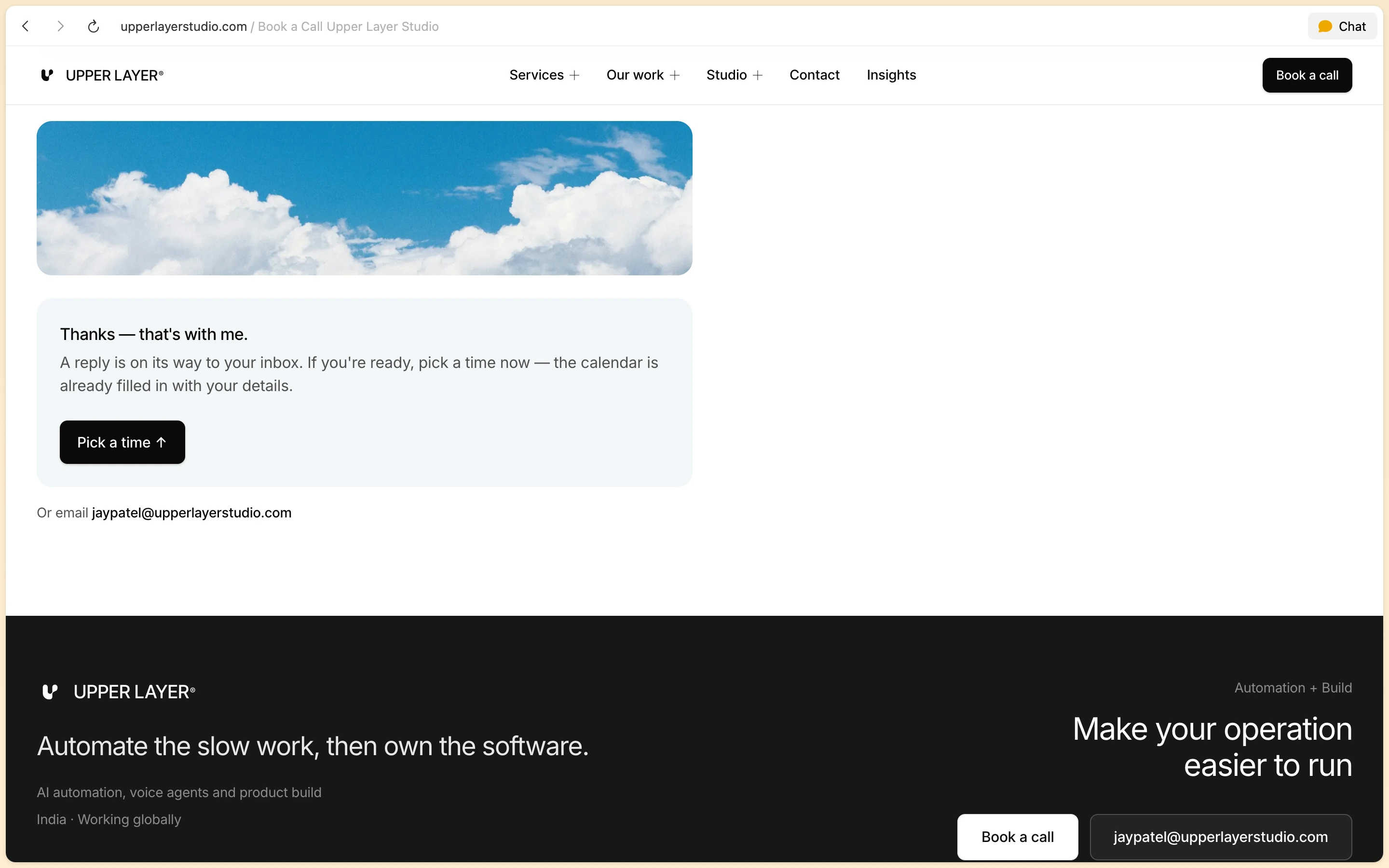
The form on this site's contact page, filled in with a sample lead. The visitor gets a thank-you straight away, and the calendar below is already filled in with their details.
The workflows
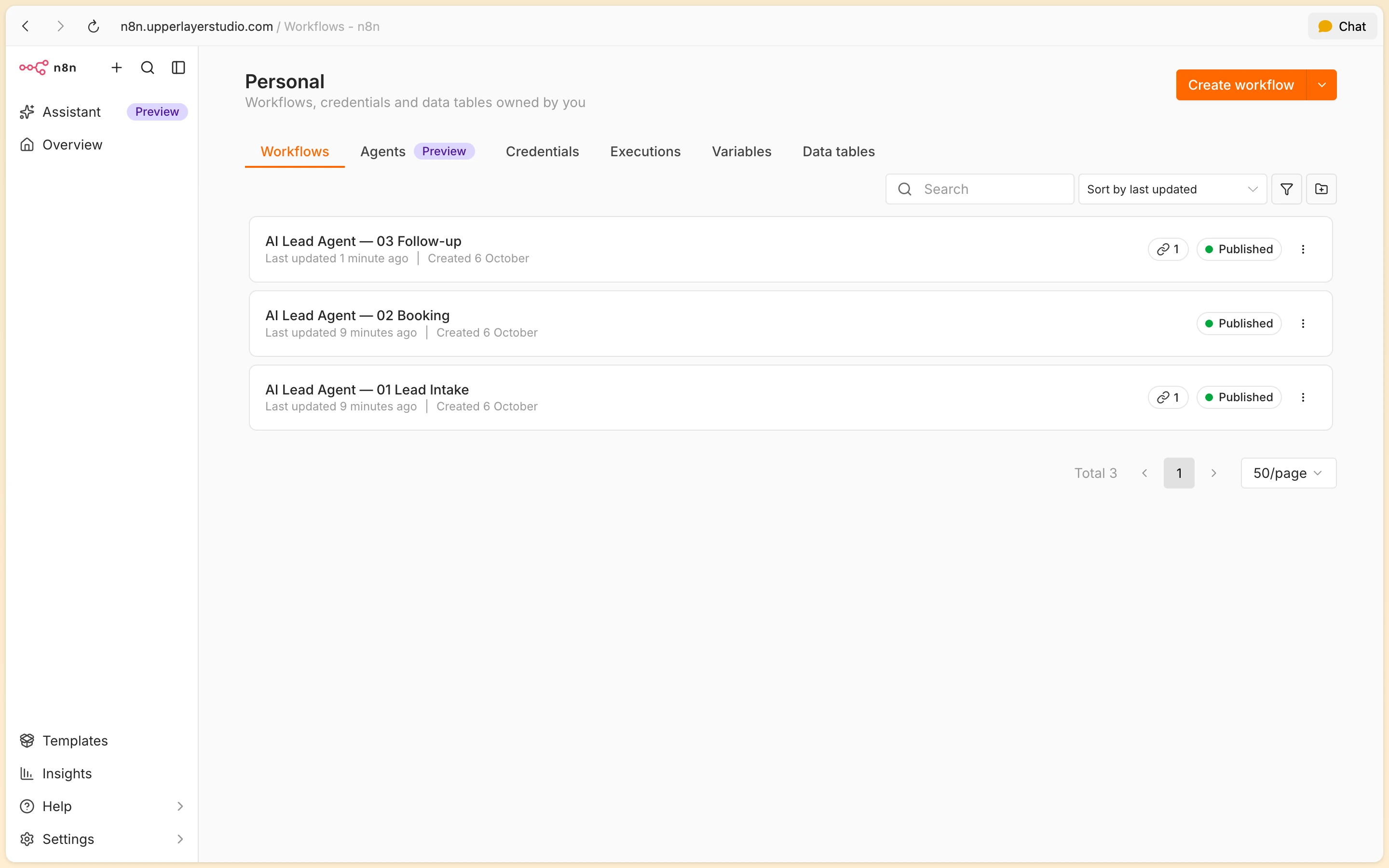
The core of the system as it runs in production on n8n: intake, booking and follow-up.
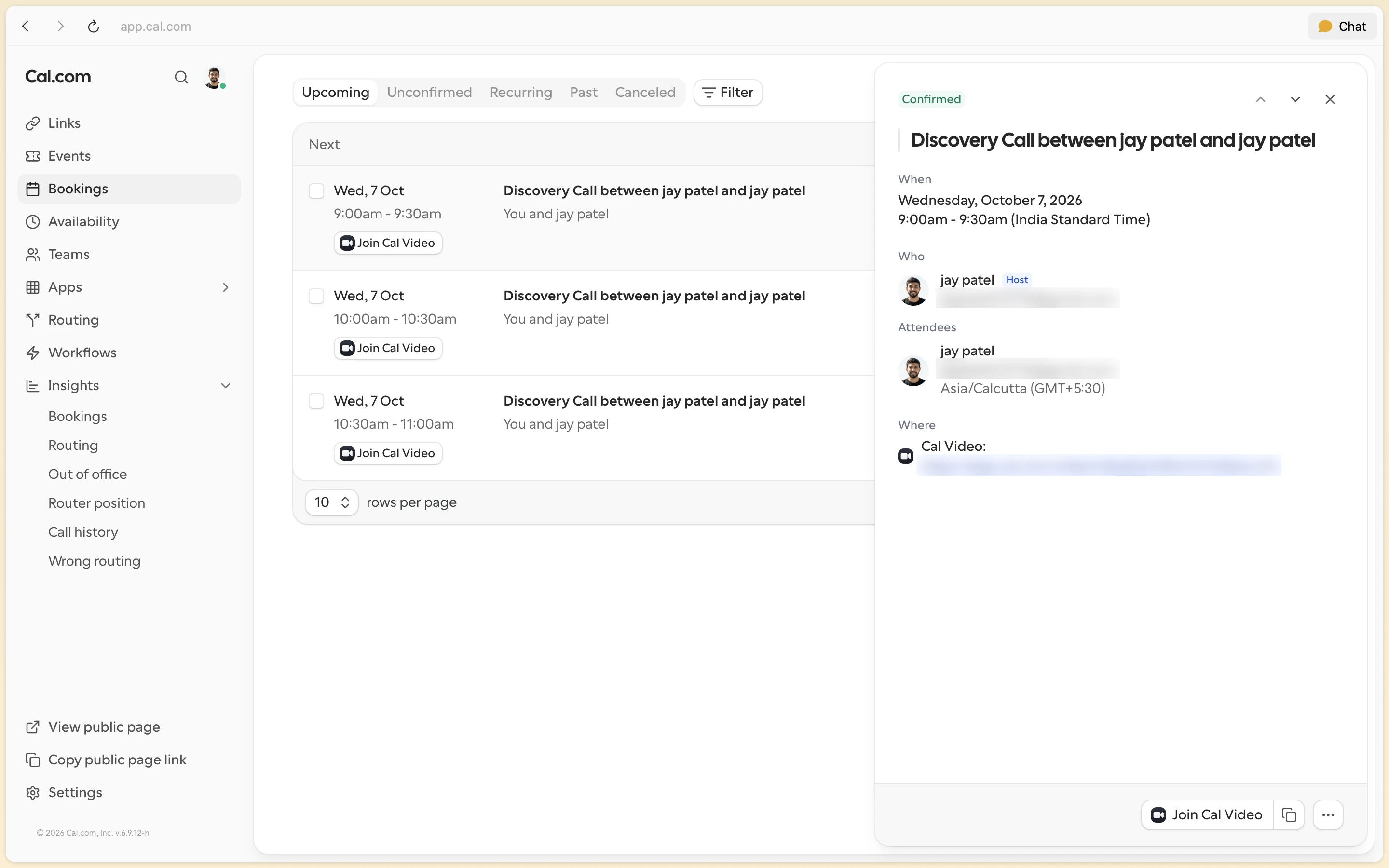
What the lead and I get
The reply the agent wrote for the sample lead, and the booking it led to. The test inbox address and the meeting link are blurred.
On my phone
What arrives on Telegram when a call is booked: who it is, what they want, what to ask and how to pitch it.
The stack
- Orchestration
- n8n (self-hosted, Docker) · Cloudflare tunnel
- AI
- Gemini 3.1 Flash-Lite · Gemini 3.5 Flash (fallback)
- CRM
- HubSpot Free CRM · Google Sheets
- Messaging
- WhatsApp Business Cloud API · Gmail SMTP · Telegram bot · Cal.com
- Intake
- Next.js 16 Server Action · Typeform · Tally · Google Forms
The result
14.0s
average from form submit to reply sent, across 16 test leads; every one under 60 seconds, the slowest 32.6s when the fallback model stepped in
Source: n8n execution history and the repo's metrics script, 6 Oct 2026
Related Service
Service 01
AI Automation
Need a system like AI Client Acquisition System? I audit your workflows, build custom integrations, and hand over the keys in your accounts.
Related Reading
Automation or agent? Pick the boring one
Most problems sold as AI agents are automations wearing a costume. Here's the test I use before quoting either.
Read articlen8n vs Zapier for lead automation: cost, control, and where Zapier breaks
Why I run lead qualification and CRM pipelines on n8n instead of Zapier: execution speed, branching, data privacy, and the 50,000-task bill.
Read article
Start a project
Tell me what needs to change
Share your product and the work you need. I'll help you find the right scope and next step.